


★ Featured App

NAVAX Knowledge Assistant
AI-powered information assistant answering questions from your own knowledge base.
More information
 Warranty Processing
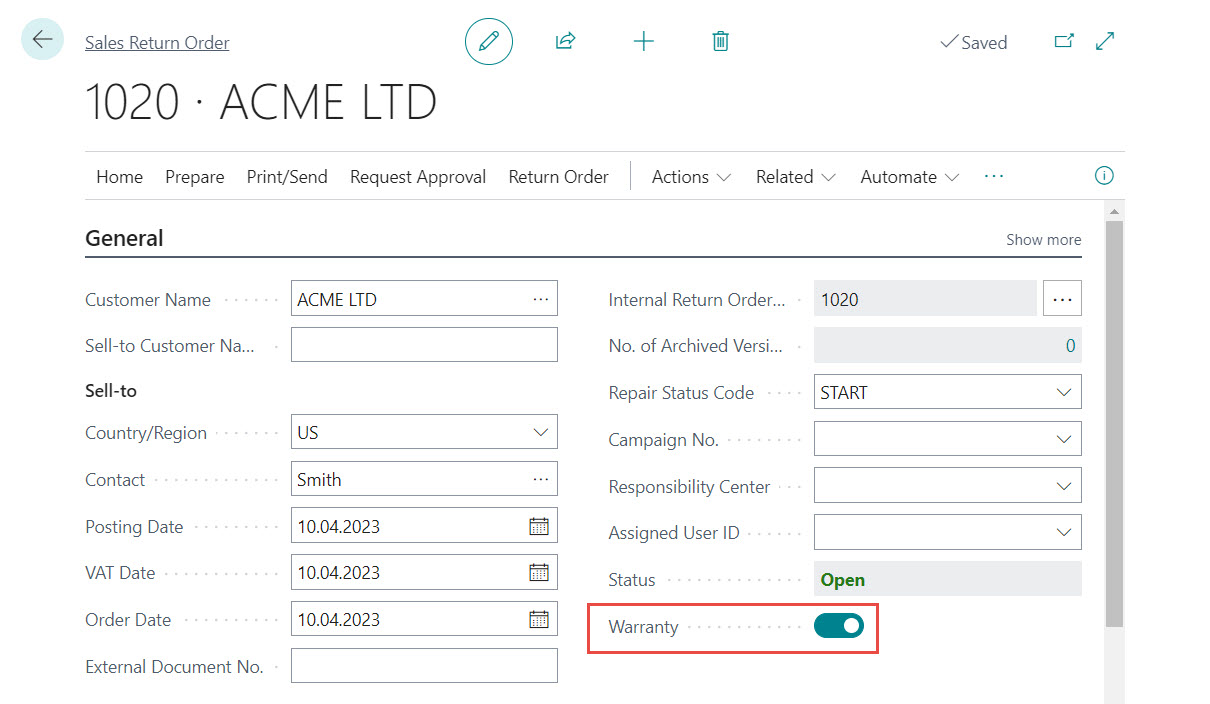 The field can be automatically updated via the Repair Status. The "Warranty" indicator is passed on to the document lines in the Sales Return Order. It cannot be overridden in the lines, i.e. Items from warranty cases cannot be used together with Items from other business cases in one document.
The indicator is transferred to the posted return receipt, the posted credit memo, the item ledger entries and the customer ledger entries during posting and can therefore be evaluated separately. When creating Return-Related Documents, the indicator is also transferred to the purchase documents.
In contrast to normal Sales Return Orders, the following logic applies to warranty Return Orders:
The field can be automatically updated via the Repair Status. The "Warranty" indicator is passed on to the document lines in the Sales Return Order. It cannot be overridden in the lines, i.e. Items from warranty cases cannot be used together with Items from other business cases in one document.
The indicator is transferred to the posted return receipt, the posted credit memo, the item ledger entries and the customer ledger entries during posting and can therefore be evaluated separately. When creating Return-Related Documents, the indicator is also transferred to the purchase documents.
In contrast to normal Sales Return Orders, the following logic applies to warranty Return Orders:
| NAVAX Knowledge Assistant AI-powered information assistant answering questions from your own knowledge base. More information  |

