Docs / Solution / Repair and Warranty Processing / Tasks / General Retrieve complaint lines
2026/08/26 • 1 min. to read
A simple way to ensure that the customer is only returning items that they have purchased from the company is to use the function "Get Posted Document Lines to Reverse" in the Sales Return Order. The app expands this function with an Item No. Filter so that it can be restricted to the Item in question.
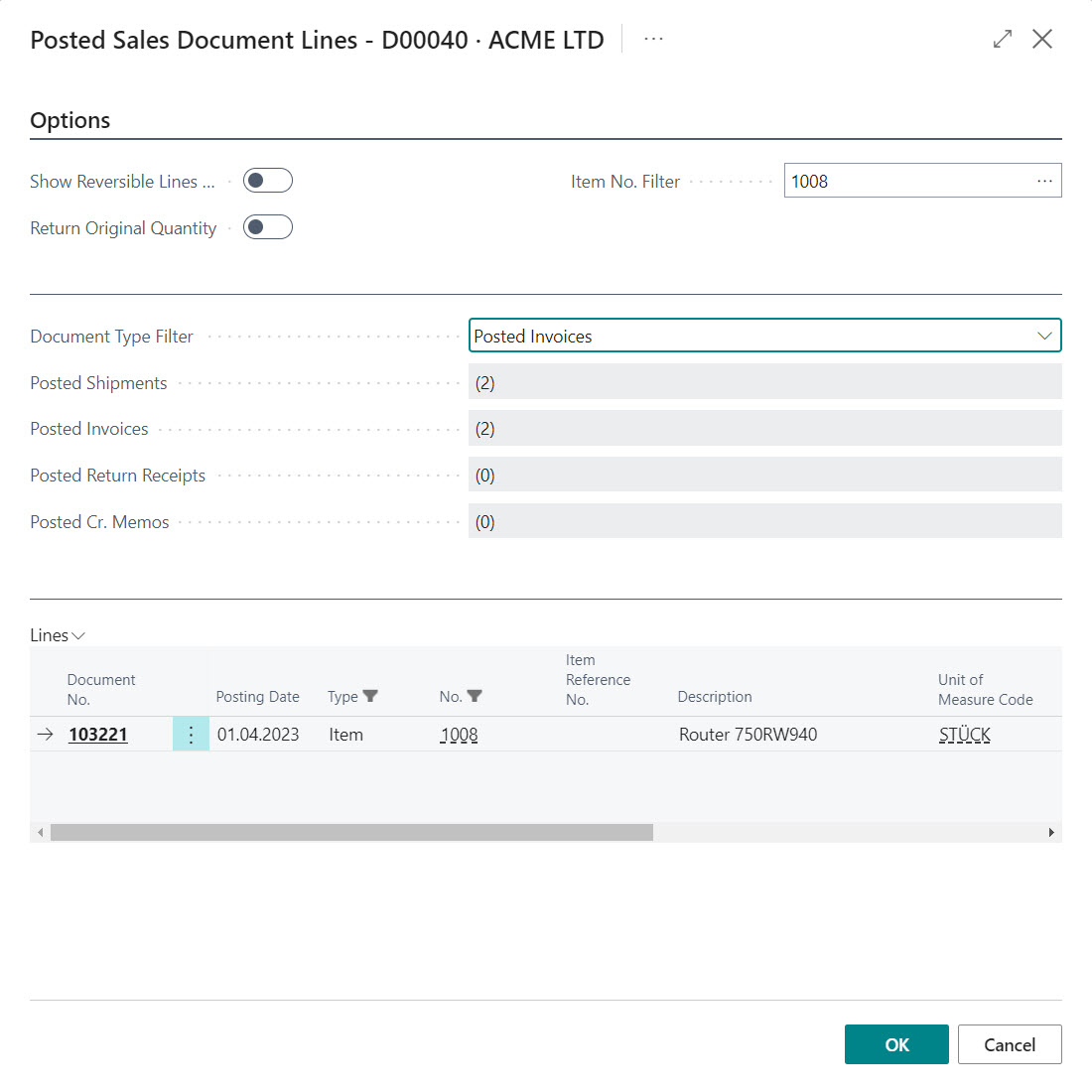
Ideally, the capture process would look like this:
- The customer provides his data. A Sales Return Order is created with the appropriate customer.
- The customer indicates which Item he would like to return. The function "Get Posted Document Lines to Reverse" is called and filtered with the Item No. Filter. All document lines that entitle you to a return are displayed in the overview.
- The appropriate line is selected and transferred to the Sales Return Order. If necessary, the quantity is adjusted and further information about the problem and symptoms is recorded.



