


★ Featured App

E-Document - ebInterface
Create and send e-invoices in accordance with the Austrian standard.
More information
 Update Notification
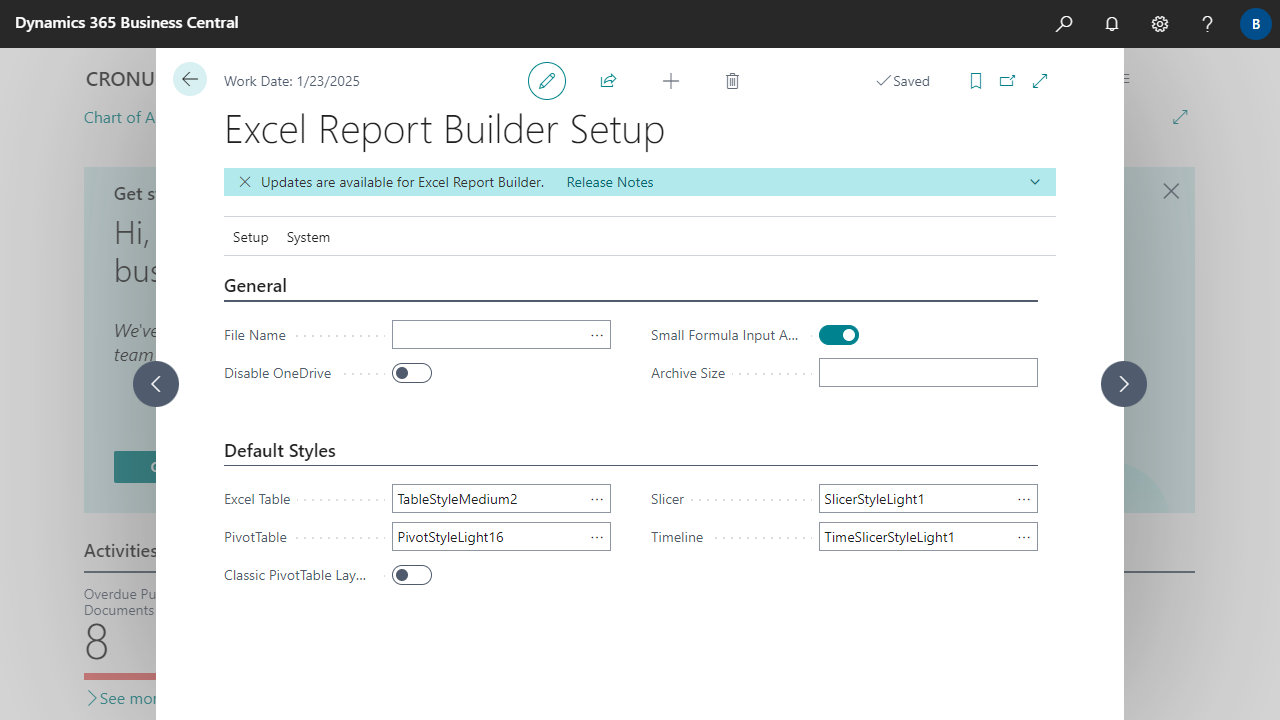 The "NCEX Check Update Status Mgt." codeunit can be used to add an update notification, e.g. on the setup page of a NAVAX extension. The following code shows the implementation on a setup page. The code is identical for all extensions.
trigger OnOpenPage()
var
    AppInfo: ModuleInfo;
    UpdateTaskParameters: Dictionary of [Text, Text];
begin
    Clear(UpdateTaskID);
    NavApp.GetCurrentModuleInfo(AppInfo);
    UpdateTaskParameters.Add('AppID', AppInfo.Id());
    CurrPage.EnqueueBackgroundTask(UpdateTaskID, Codeunit::"NCEX Check Update Status Mgt.", UpdateTaskParameters, 0, PageBackgroundTaskErrorLevel::Ignore);
end;

var
    UpdateTaskID: Integer;

trigger OnPageBackgroundTaskCompleted(TaskId: Integer; Results: Dictionary of [Text, Text])
var
    NCEXCheckUpdateStatusMgt: Codeunit "NCEX Check Update Status Mgt.";
begin
    if (TaskId = UpdateTaskID) then
        NCEXCheckUpdateStatusMgt.ShowUpdateNotification(Results);
end; | E-Document - ebInterface Create and send e-invoices in accordance with the Austrian standard. More information  |

