


 Role Center Integration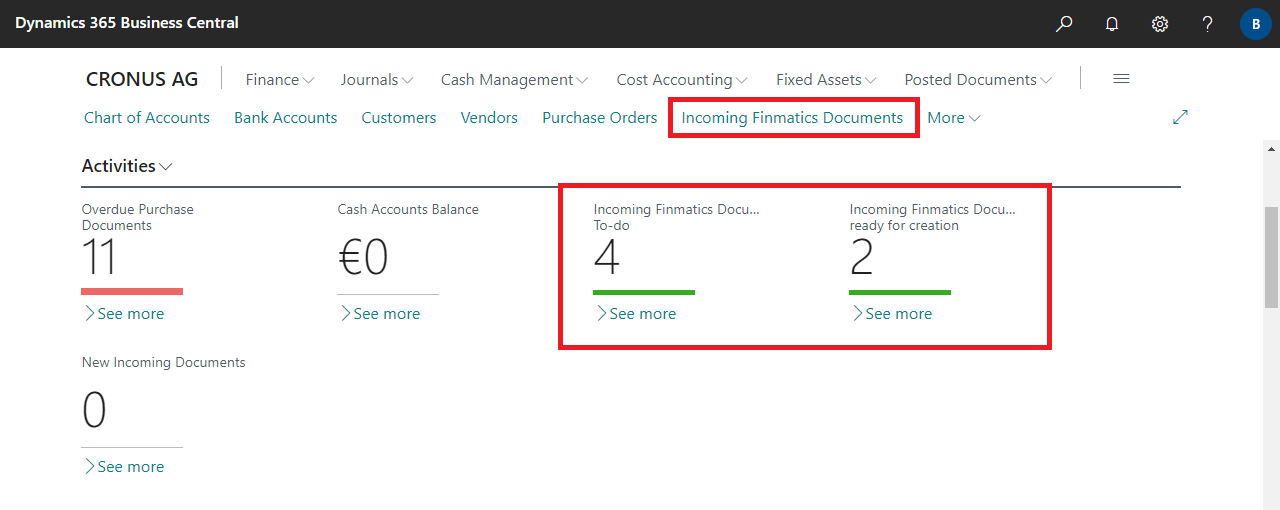
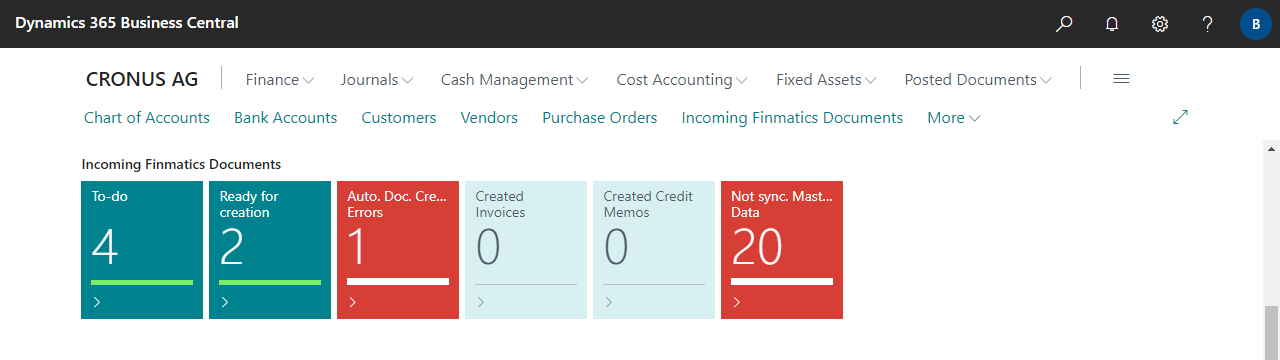
| To-do | Specifies the number of incoming Finmatics Documents that still need to be manually checked and confirmed. Documents are either uploaded manually to Finmatics or transferred via other means (email, web scan, mobile app, etc.). If not all fields can be determined automatically, or if discrepancies are detected, then a To-do is created and the document must be checked and confirmed manually. For more information, see Working with the App, Incoming Finmatics Documents. |
| Ready for creation | Specifies the number of incoming Finmatics Documents ready for creation in Business Central. Documents are either uploaded manually to Finmatics or transferred via other means (email, web scan, mobile app, etc.). Once all fields are captured and/or predicted, and if no discrepancies are detected, documents are automatically ready for creation. For more information, see Working with the App, Incoming Finmatics Documents. |
| Auto. Doc. Creation Errors | Specifies the number of incoming Finmatics Documents where an error occurred during automatic document creation. For more information, see Working with the App, Purchase Documents. |
| Created Invoices | Specifies the number of Finmatics Documents that have already been created as a purchase invoices in Business Central but have not yet been posted. For more information, see Working with the App, Purchase Documents. |
| Created Credit Memos | Specifies the number of Finmatics Documents that have already been created as a purchase credit memo in Business Central but have not yet been posted. For more information, see Working with the App, Purchase Documents. |
| Not sync. Master Data | Specifies the number of Master Data that need to be synchronized with Finmatics. If the automatic synchronization is enabled, the records are automatically synchronized with a delay of max. 5 minutes. For more information, see Setup, Master Data. |
 | XML Builder Export data in XML format (or JSON) via fully configurable schemas. More information  |


