This app is used to connect and extend the functionalities of the Job and Service module.
Manual
Creation date: 2026/04/05 The current version of this manual can be found at:
☰ Contents
General
App Job Service Integration NVXJSI Job Service Integration is used to link the Job and Service modules, thus ensuring a seamless connection of the associated business processes...
Setup
App Setup Brief description of the setup table...
Working with the App
Working with the App
Seiten
Manufacturer Warranty Duration At sales line level, you will find a field Manufacturer Warranty Duration...
Sales Order Subform The app extends Sales Order Subform with...
Job Business Partners in Service NVXJSI Job Service Integration allows you to display the linked job business partners within the service item, service quote, service order, service contract quote and service contract and thus access or manage your job directly from within the service module...
Transfer From Sales Order/Sales Order (Archive)
Service Item Component List
Service Management Setup
Appendix
Release Notes
Docs / Solution / Job Service Integration / General General
NVXJSI Job Service Integration is used to link the Job and Service modules, thus ensuring a seamless connection of the associated business processes.
The app also allows you to apply functionalities and map use cases that are not yet covered by the Standard Business Central functionality. For a more detailed description of the features included, please refer to the Online Help chapter Working with the app.
Docs / Solution / Job Service Integration / Working with the App Working with the App
Action - Transfer from Sales Order
On the page Service Item Component List with the button Transfer From Sales Order new service item components can be created.
When using this action the Transfer From Sales Order page opens to choose items. In the Service Management Setup the field Transfer From Sales Order Type
decides whether the standard or archive page opens.
Docs / Solution / Job Service Integration / Working with the App / Seiten Manufacturer Warranty Duration
At sales line level, you will find a field Manufacturer Warranty Duration.
The Manufacturer Warranty Duration is populated using the value from the Vendor when a corresponding sales order line is created.
If sales line order is created, the Warranty End (Parts) & Warranty End (Labor) fields within the Service Item are calculated based on the Manufacturer's warranty Duration, which is stored in the associated Sales Order Line.
If no Manufacturer Warranty Duration is specified in the Item and passed down to the Sales Line, the calculation is based on the Service Setup.
Docs / Solution / Job Service Integration / Working with the App / Seiten Sales Order Subform
The app extends Sales Order Subform with:
Fields
Name
Description
Manufacturer Warranty Duration
Specifies the Manufacturer Warranty Duration associated with the selected item.
Docs / Solution / Job Service Integration / Working with the App / Seiten Job Business Partners in Service
NVXJSI Job Service Integration allows you to display the linked job business partners within the service item, service quote, service order, service contract quote and service contract and thus access or manage your job directly from within the service module.
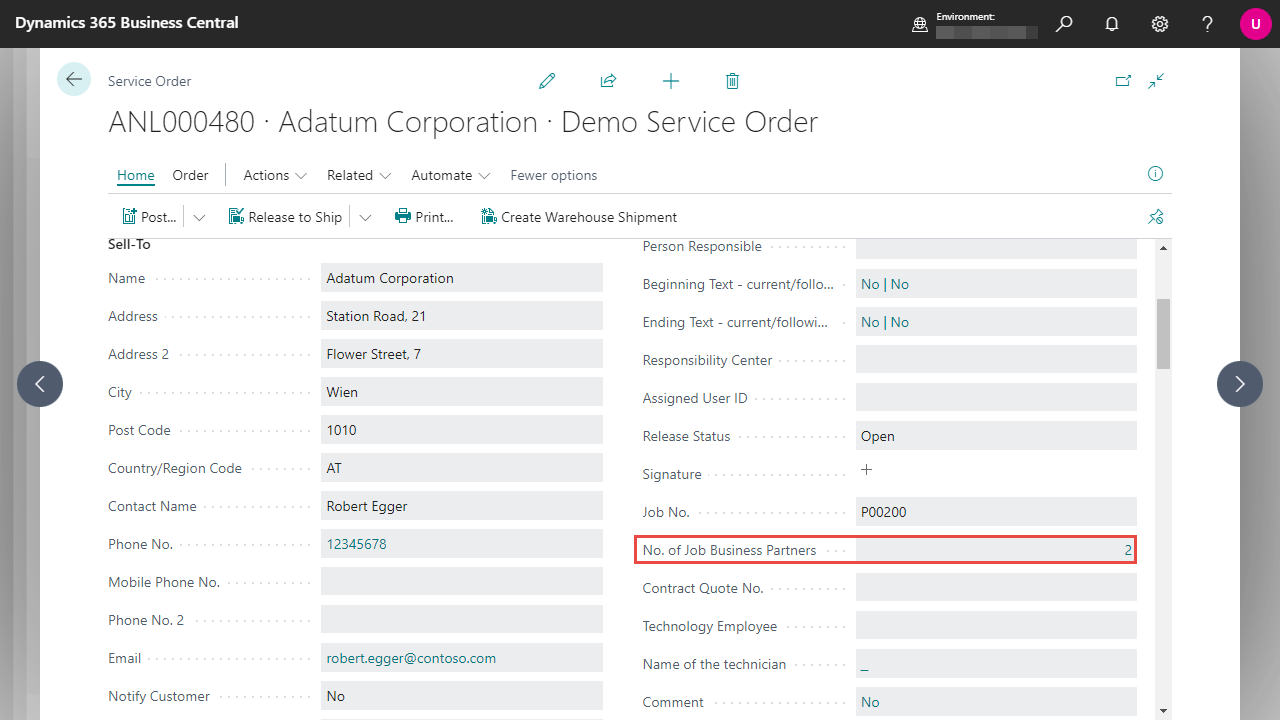
All you must do is access one of the Business Central pages described above and look for the No. of Job Business Partners field. If there is an active link to one of your jobs, this shows the number of defined job business partners.
By clicking on the number, you can retrieve the list of associated business partners directly.
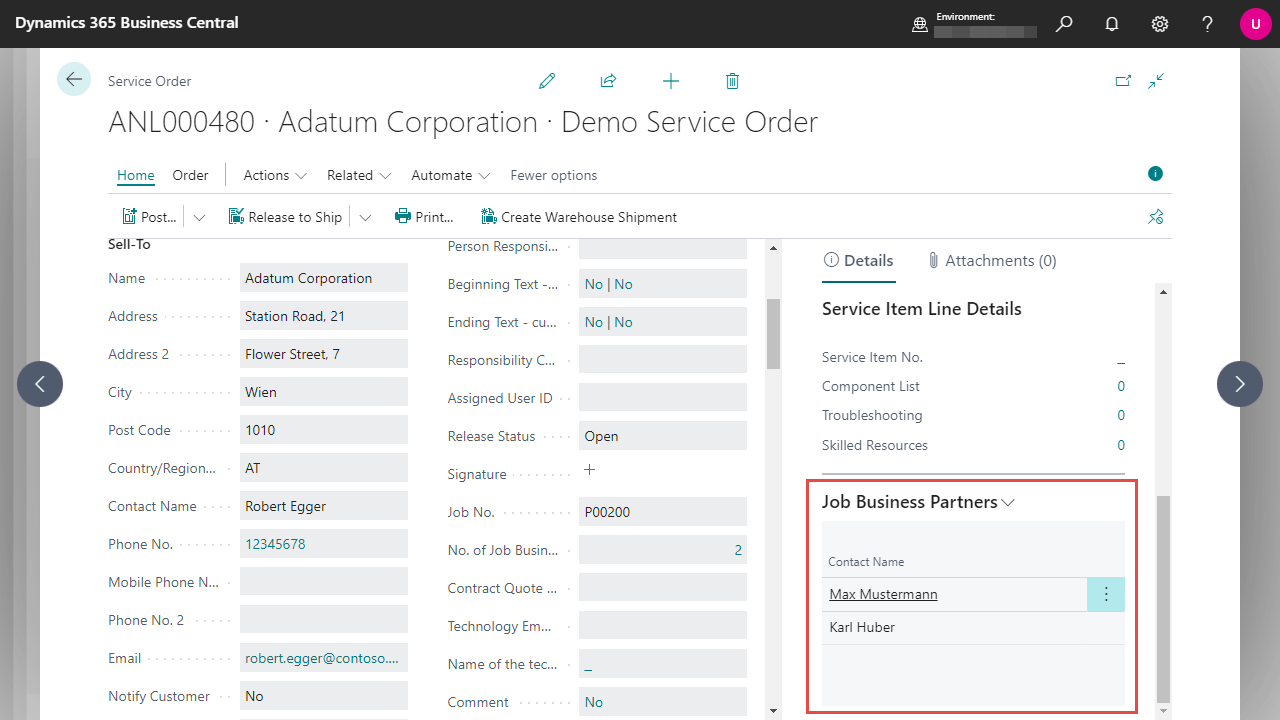
You will also find a Job Business Partners FactBox in the defined service pages, which displays the linked contact name for each business partner.
However, this FactBox is only used to view the business partners - it is therefore not possible for you to make changes or calls at this point.
Docs / Solution / Job Service Integration / Working with the App / Seiten Transfer From Sales Order/Sales Order (Archive)
Fields
Name
Description
"Document No.
Specifies the document number.
Sell-to Customer No.
Specifies the number of the customer.
Type
Specifies the type of entity for this sales line, such as Item, Resource, or G/L Account.
No.
Specifies the number of the involved entry or record, according to the specified number series.
Would you like to know what has changed in the extension? Below you'll find an overview of the new features and changes made in the updates.
Build-Overview in DevOps



 General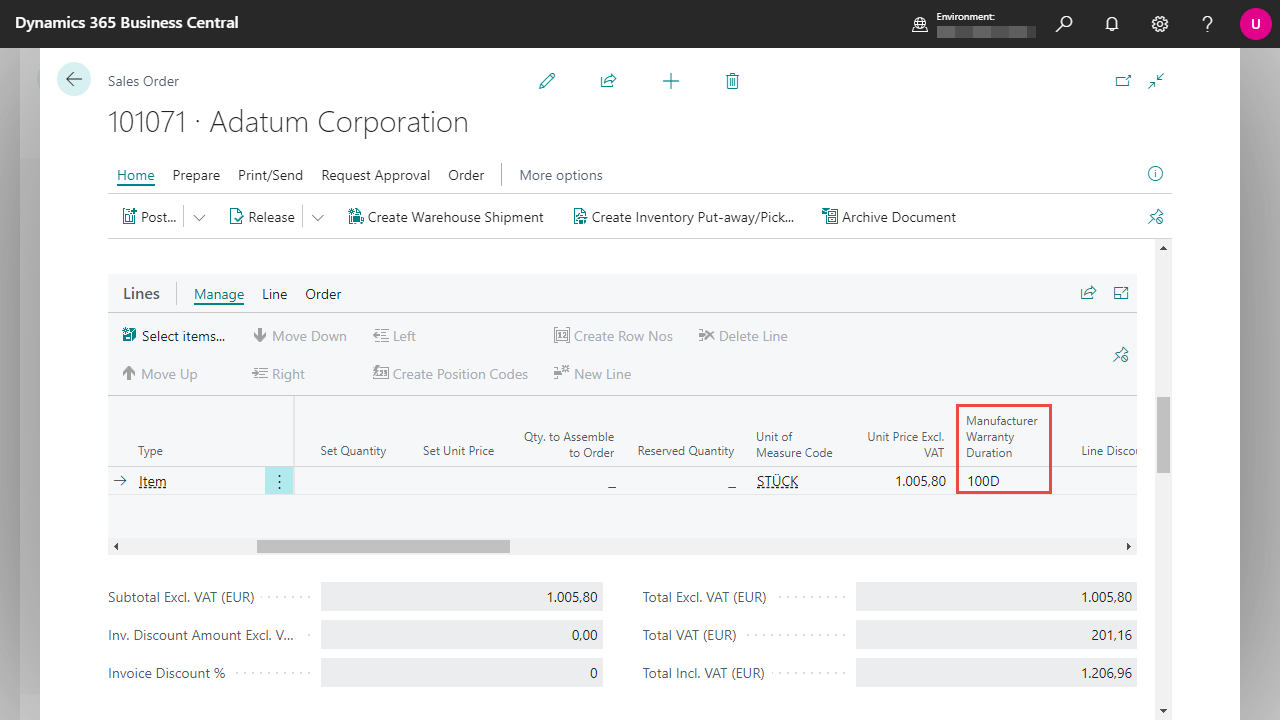
 By clicking on the number, you can retrieve the list of associated business partners directly.
You will also find a Job Business Partners FactBox in the defined service pages, which displays the linked contact name for each business partner.
By clicking on the number, you can retrieve the list of associated business partners directly.
You will also find a Job Business Partners FactBox in the defined service pages, which displays the linked contact name for each business partner.
 However, this FactBox is only used to view the business partners - it is therefore not possible for you to make changes or calls at this point.
