


★ Featured App

Excel Report Builder
Build Excel reports directly within Microsoft Dynamics 365 Business Central.
More information
 Working with the App
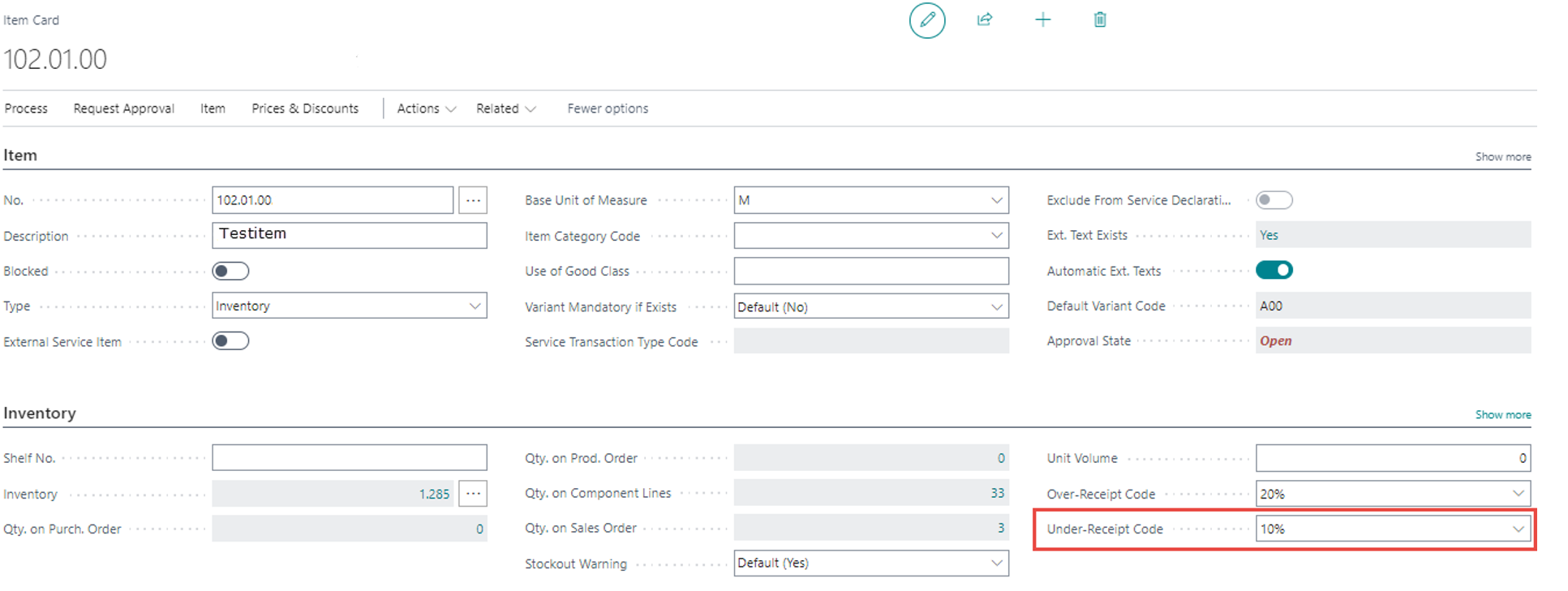 Picture 1: Setup Under-Receipt Code
2) The quantity in the purchase order is adjusted/forwarded by entering an "Under-Receipt Quantity Receive" in the warehouse receipts. The quantity entered in the "Under-Receipt Quantity Receive" field is used to fill the "Under-Receipt Code" field from the item card (or vendor card).
The quantity of the under-receipt can also be entered in the purchase unit of measure. To do this, the "Under-Receipt Quantity to Receive (Base)" field must be filled in.
Picture 1: Setup Under-Receipt Code
2) The quantity in the purchase order is adjusted/forwarded by entering an "Under-Receipt Quantity Receive" in the warehouse receipts. The quantity entered in the "Under-Receipt Quantity Receive" field is used to fill the "Under-Receipt Code" field from the item card (or vendor card).
The quantity of the under-receipt can also be entered in the purchase unit of measure. To do this, the "Under-Receipt Quantity to Receive (Base)" field must be filled in.
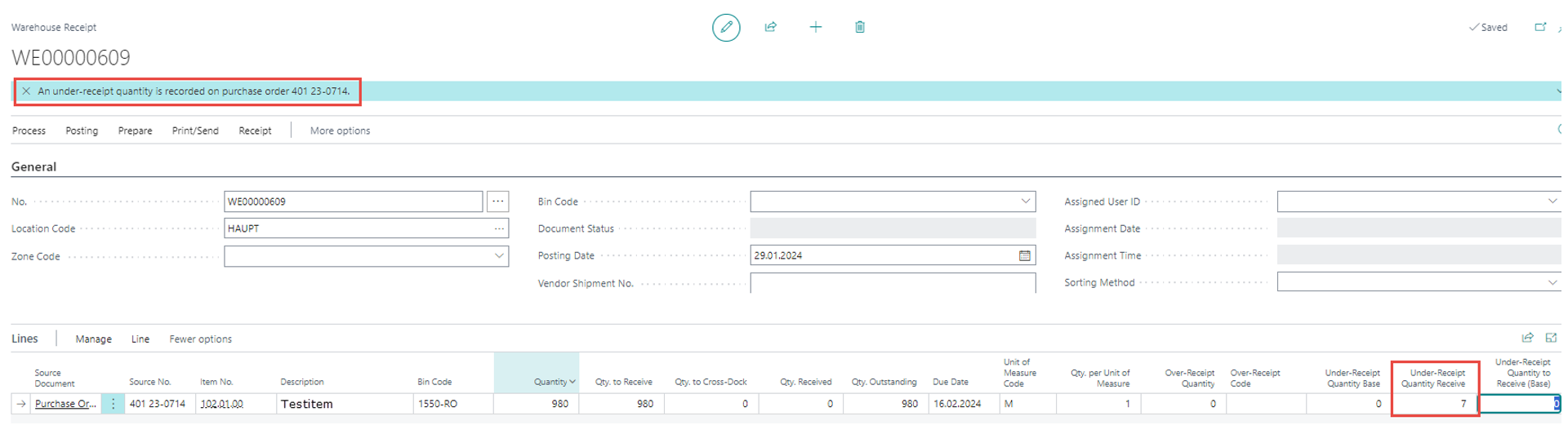 Picture 2: Adjustment of incoming underdelivery quantity in the purchase order
3) The quantity in the item tracking lines is also adjusted.
Picture 2: Adjustment of incoming underdelivery quantity in the purchase order
3) The quantity in the item tracking lines is also adjusted.
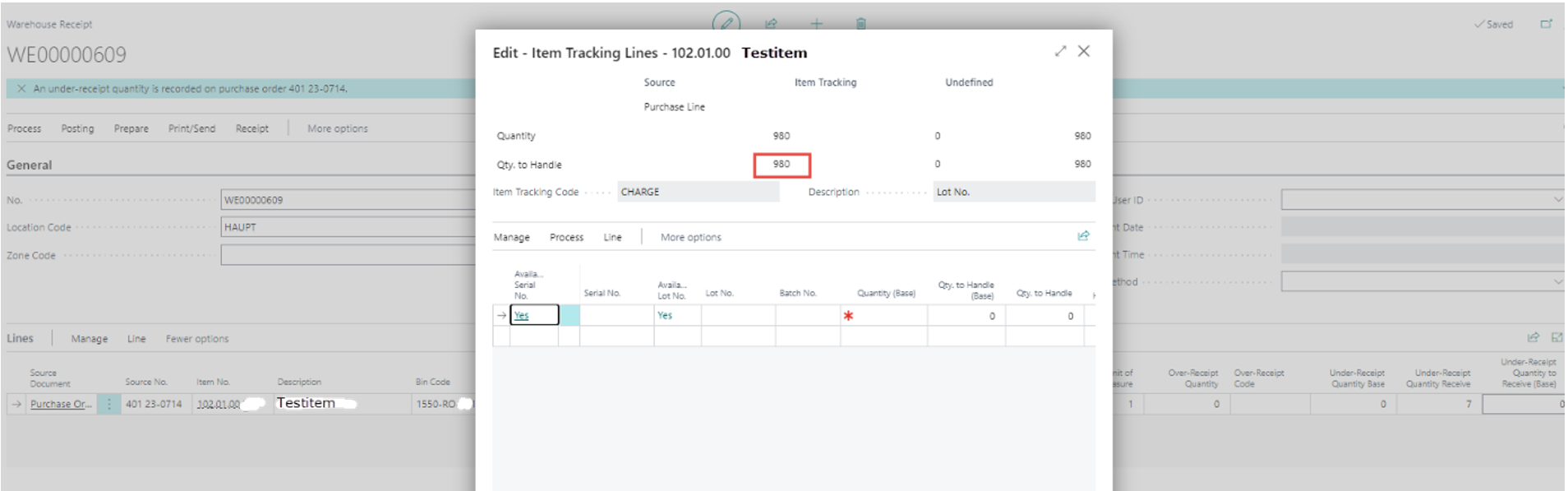 Picture 3: Adjustment quantity item tracking
4) By posting the warehouse receipts, the warehouse receipt is set to "Completely received" by the system.
Picture 3: Adjustment quantity item tracking
4) By posting the warehouse receipts, the warehouse receipt is set to "Completely received" by the system.
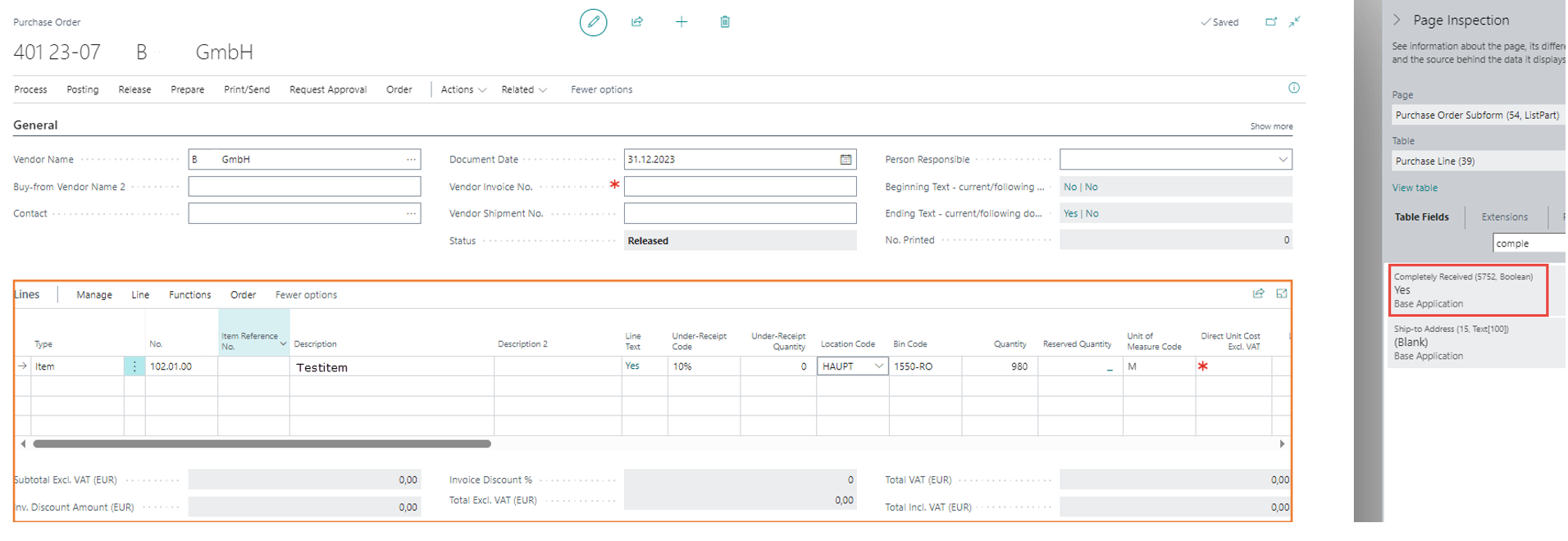 Picture 4: "Completely received" = TRUE
| Excel Report Builder Build Excel reports directly within Microsoft Dynamics 365 Business Central. More information  |

